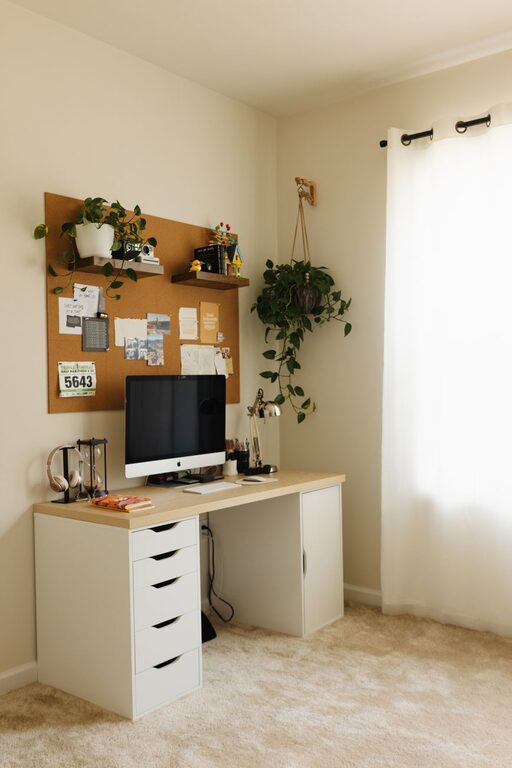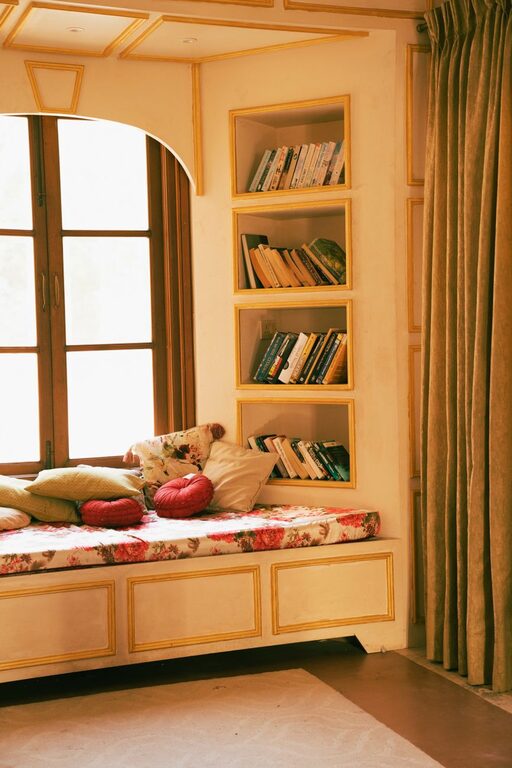
Creating a home office that fosters productivity and comfort is essential, especially as more people embrace remote work or freelance careers. A well-organized space not only helps you stay focused but also reduces stress and makes your workday more enjoyable. Whether you have a dedicated room or a small corner in your living space, these practical tips can help you arrange your home office to maximize both efficiency and comfort.
Assess Your Space and Needs
Before diving into organizing, take a moment to understand your unique work habits and space limitations. Consider the following:
– Available space: How much room do you have? This will determine the type of furniture and storage solutions suitable.
– Work style: Do you need a lot of surface area for papers and gadgets, or do you work mainly on a laptop?
– Equipment: List all your work essentials — computer, printer, files, stationery.
– Personal comfort: What lighting, seating, and accessories make your workday easier?
Knowing these details helps tailor your office setup to fit your daily requirements.
Choose the Right Furniture
Furniture plays a big role in creating a functional and inviting workspace.
Desk
– Opt for a desk with enough surface area to accommodate your computer and any necessary paperwork.
– Adjustable or standing desks can add ergonomic benefits.
– Consider desks with built-in storage to save space.
Chair
– Invest in an ergonomic chair with lumbar support.
– Adjustable height and comfortable cushioning prevent fatigue.
– If space is tight, look for compact chairs that offer good support.
Storage Solutions
– Use shelves, filing cabinets, or drawer units to keep supplies organized.
– Vertical storage helps to maximize a small area.
– Clear storage boxes make it easy to find items quickly.
Organize Your Desk Efficiently
Your desk is the heart of your workspace. Keeping it tidy can improve focus.
– Limit items on the desk: Only keep essentials like your computer, phone, and a few supplies.
– Use organizers: Pen holders, trays, or small baskets can keep tools neat.
– Manage cables: Use cable organizers or clips to prevent tangling.
– Personalize carefully: Add a small plant or photo to make the space inviting, but avoid clutter.
Optimize Lighting for Comfort and Productivity
Lighting can significantly impact your ability to concentrate and reduce eye strain.
– Natural light: Position your desk near a window if possible for ample daylight.
– Task lighting: Use adjustable desk lamps to focus light on your work area.
– Ambient lighting: Soft room lighting helps reduce contrast and fatigue.
– Avoid glare: Arrange screens to minimize reflections and eye strain.
Create Zones Within Your Workspace
Designating different zones can help you switch focus and stay organized.
– Work zone: Your primary desk area for focused tasks.
– Reference zone: Use shelves or a bulletin board for important documents or notes.
– Break zone: If space allows, include a comfy chair or small corner to relax or brain-storm.
– Storage zone: Keep supplies and files in easy reach but out of the way.
Establish Daily Organization Habits
Maintaining order daily prevents clutter buildup and keeps motivation high.
– End with a tidy desk: Spend a few minutes before finishing work to clear surfaces.
– Organize paperwork: Sort files immediately and discard unnecessary papers.
– Digital organization: Regularly clean desktop icons and email inboxes.
– Plan ahead: Keep a daily or weekly planner visible to manage tasks.
Add Comfort and Personal Touches
A comfortable and pleasant environment supports longer and more productive work sessions.
– Ergonomic accessories: Consider wrist rests, footrests, or keyboard trays.
– Temperature control: Use fans, heaters, or humidifiers as needed.
– Greenery: Adding plants can improve air quality and boost mood.
– Sound control: Use noise-canceling headphones or play background music if it helps your focus.
Use Technology to Stay Organized
Technology can streamline your workflow and help keep tasks manageable.
– Productivity apps: Use calendars, task managers, or note-taking tools.
– Cloud storage: Keep important files accessible and secure.
– Cable management: Use wireless accessories where possible to reduce clutter.
Regularly Reassess and Adjust Your Setup
Your needs and preferences may change over time. Periodically evaluate your home office setup.
– Is your current lighting sufficient?
– Are you comfortable in your chair after long hours?
– Does your storage meet your needs?
– Can you improve your layout for better workflow?
Making small adjustments can keep your workspace fresh and productive.
—
A well-organized and comfortable home office is achievable with thoughtful planning and simple changes. By tailoring the space to your needs and creating consistent habits, you can boost productivity and enjoy your work-from-home time more fully. Start with a few of these tips today and transform your workspace into a place that inspires and supports your best work.
About the Author