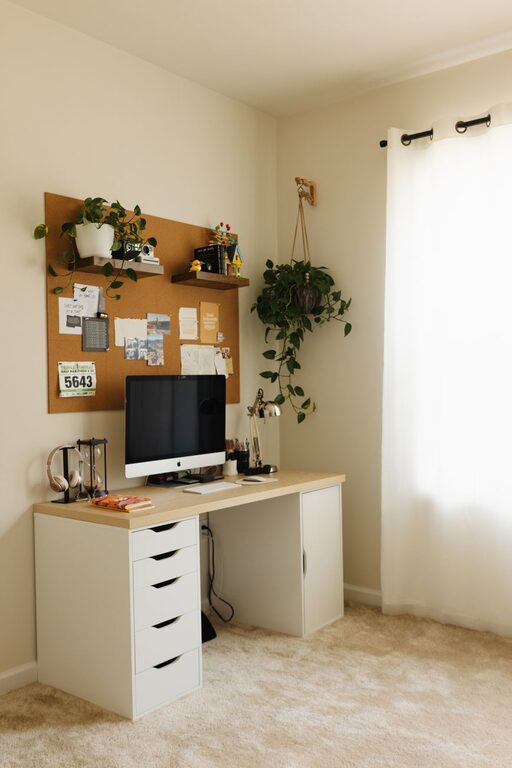

Working from home has become increasingly popular, and having a well-organized workspace is essential for staying productive. A cluttered or poorly arranged area can negatively impact focus, motivation, and overall work quality. Whether you have a dedicated room or just a corner of your living space for work, organizing your home workspace effectively can help you stay on track and feel comfortable throughout the day.
Here are some practical tips to help you organize a productive home workspace.
Choose the Right Location
Selecting the best spot for your home workspace is the first step. Ideally, it should be a quiet area away from heavy foot traffic and distractions. If possible, use a separate room, but if space is limited, a dedicated nook or corner will work.
Consider These Factors:
– Natural light: Position your desk near a window to benefit from daylight, which can improve mood and focus.
– Noise level: Choose a quiet place or use noise-cancelling headphones if needed.
– Privacy: Ensure your workspace allows for privacy, especially if you have family members or roommates at home.
Invest in Comfortable, Ergonomic Furniture
Comfort plays a significant role in productivity. Sitting uncomfortably can cause physical strain and decrease focus.
Key Furniture Items:
– Ergonomic chair: Supports good posture and reduces the risk of back pain.
– Desk: Choose a desk with enough surface space for your computer, notepads, and any other essentials.
– Monitor stand or laptop riser: Keeps your screen at eye level to prevent neck strain.
Adjust your furniture to fit your body comfortably rather than forcing your posture.
Declutter and Organize Your Desk
A tidy desk creates a calmer environment and helps prevent distractions.
Tips to Declutter:
– Keep only essentials: Remove items that you don’t use daily.
– Use organizers: Drawer dividers, pen holders, and trays can keep small items neat.
– Cable management: Use clips, ties, or sleeves to organize cords and avoid entanglement.
Regularly clean your workspace to maintain an organized environment.
Optimize Lighting
Good lighting reduces eye strain and improves alertness.
– Combine natural light with adjustable artificial lighting.
– Use a desk lamp with adjustable brightness and color temperature.
– Avoid glare on your monitor by positioning lights correctly.
Set Up for Efficiency
Arrange your space so that everything you need is within easy reach.
– Store frequently used items onsite to minimize interruptions.
– Use shelves or filing cabinets for documents and paperwork.
– Keep your computer desktop organized with a simple folder system.
Personalize Your Workspace
Adding personal touches can make your workspace more inviting and motivate you.
– Include plants, which can boost mood and purify the air.
– Display photos or artwork that inspire you.
– Choose colors and decorations that feel calming but not distracting.
Minimize Distractions
Control distractions to maintain focus.
– Turn off notifications on your phone or use “Do Not Disturb” mode while working.
– Use noise-canceling headphones or soft background music if it helps.
– Communicate boundaries to family or housemates during work hours.
Establish a Routine and Boundaries
A well-organized workspace supports a healthy work routine.
– Set clear work hours and stick to them.
– Take regular breaks away from your workspace to rest eyes and stretch.
– End your workday by tidying your space to prepare for the next day.
Use Technology Wisely
Leverage technology to enhance your productivity.
– Utilize apps for time management and task organization.
– Keep your software and devices updated to avoid glitches.
– Back up important files regularly.
—
Organizing your home workspace doesn’t require expensive upgrades. With thoughtful planning, comfort, and regular maintenance, you can create an environment that encourages focus and makes working from home more enjoyable. Try these tips step-by-step, and adjust your setup as you discover what works best for your unique needs.
About the Author